In the highly competitive world of Roblox fashion, standing out on the runway requires more than just picking a default outfit and adding a matching hair color. To consistently rank up from a New Model to a Fashion Goddess, players must master the intricate art of customization, layering, and transformation. At the absolute center of advanced styling in this hit experience lies a powerful mechanic: item modifications. Learning how to toggle in dress to impress is the definitive secret weapon used by top-tier creators to alter clothing silhouettes, strip away unnecessary clutter from accessories, and create entirely custom garments that leave the judges breathless.
A toggle allows you to change the physical model of an item you are wearing. Instead of accepting a dress or top exactly as it sits on the clothing rack, toggling allows you to strip away sleeves, adjust skirt lengths, turn a full gown into a standalone corseted top, or completely modify the pose and layout of handheld props. If you are not utilizing this feature, you are only scratching the surface of the game’s expansive wardrobe. This comprehensive masterclass provides an exhaustive deep dive into how to toggle in dress to impress, breaking down basic interface mechanics, fabric-layering strategies, and hidden item transformations that will instantly elevate your fashion score.
1. The Core Interface Mechanics: How to Toggle in Dress to Impress
Understanding the physical user interface is the first crucial step to modifying your clothing. The game does not explicitly walk you through every menu option during a fast-paced timed round, which means many players completely overlook the customization panels hidden right before their eyes.
To learn how to toggle in dress to impress, you must first select an item from the dressing room floor, code catalog, or VIP lounge and equip it onto your avatar character. Once an item is physically placed onto your body, a dedicated customization menu box will automatically populate on the right or left side of your screen. This floating UI box is your main styling dashboard.
Within this menu, look directly below the primary color selection grids. If an item possesses modifiable states, you will see a series of numbered buttons (often labeled as Toggle 1, Toggle 2, Toggle 3, or distinct custom descriptors like “Short Version,” “No Bows,” or “Sleeves Only”). Clicking these specific configuration buttons will instantly command the game engine to swap the active 3D model mesh on your character. Some highly complex items feature up to five or six distinct states, allowing a single asset to serve as a high-necked sweater, a cropped tube top, or a decorative statement collar depending on which button you press.
2. Transforming Tops and Bodices: Creative Silhouette Manipulation
The torso area provides the primary visual foundation for almost any runway theme. When you master how to toggle in dress to impress across the selection of shirts and bodices, you effectively triple your available wardrobe options without needing to unlock extra premium currency.
Deconstructing the Layered Tops
Many base-game tops come packaged with default ruffles, attached neckties, or dramatic shoulder pads. While these details are phenomenal for historical or high-fashion themes, they can cause horrific clipping issues if you attempt to layer another jacket over them. By accessing the toggle dashboard on your equipped top, you can systematically hide these individual decorative assets. For instance, the popular ruffled button-down shirt can be completely stripped down to a sleek, tight-fitting sleeveless collar piece, providing a clean, un-clipped base for heavy outerwear styling.
Creating Custom Cropped Aesthetics
Cropped silhouettes are incredibly vital for street-wear, casual, and y2k-themed rounds. Several of the long-sleeved blouses and knit sweaters hidden in the dressing room corners feature custom length adjustments within their modification menus. Toggling these items from their default full-length states down to ultra-cropped or midriff-baring cuts allows you to showcase structural low-rise waistlines on cargo pants or create a layered look over high-waisted skirts seamlessly.
3. Skirt and Dress Modifications: Crafting the Perfect Hemline
The length and flow of your skirt dictate the overall movement and historical accuracy of your runway look. Knowing how to toggle in dress to impress when handling full-body gowns and separate skirts is vital for hitting difficult themes like “Gothic Romance,” “Coquette,” or “Casual Sunday.”
From Ballgowns to Corsets
One of the most jaw-dropping revelations for intermediate players is realizing that many full-body dresses can be partitioned into individual components. Premium and free gowns frequently feature a “Top Only” or “Skirt Only” button layout. Activating the “Top Only” modification instantly deletes the massive fabric skirt from your legs, converting a multi-layered dress into a highly detailed, textured corset or tube top that you can then pair with casual denim jeans, sweatpants, or alternative layered skirts.
Length and Volume Control
A common styling frustration is finding a skirt with a gorgeous pattern or texture that is simply too long or too puffy for your intended aesthetic. By utilizing the adjustment menu, many standard tiered skirts can be flattened down to strip away their underskirt crinolines, or shortened from a floor-length maxi drape into a playful, pleated micro-mini. This functionality is essential for modifying pieces to fit school uniforms, athletic cheer outfits, or modern pop-star designs perfectly.
4. Advanced Layering Strategies: Combining Toggles for Unique Outfits
The true sign of a professional player is the total absence of default, single-item outfits. To capture the highest scores from the voting community, you must use your knowledge of how to toggle in dress to impress to create entirely original garments through the process of multi-item stacking.
The Invisible Short-Short Base Trick
When creating a highly specific streetwear ensemble using long oversized graphic tees or draped cardigans, default undergarments can often peek out awkwardly around the thighs. To solve this, savvy players equip specific athletic shorts or denim bottoms and utilize their internal modification settings to toggle off all pockets, fraying, and leg length until the garment shrinks down into a microscopic, plain base layer. This completely hides the fabric boundaries while allowing you to color-match the item to your top perfectly, creating the flawless illusion of a cohesive, standalone tunic or dress.
Double-Skirt Volumizing
If a theme demands extreme regal elegance or a dramatic fantasy silhouette, a single default skirt rarely provides enough presence on the main stage. You can stack two identical or complementary skirts directly on top of each other. By using the adjustment panel, set the bottom layer skirt to its maximum length and fullness toggle, and configure the top layer skirt to a shorter, split, or asymmetric drapery state. When you apply contrasting patterns or complementary solid colors across the split modules, the two items blend together seamlessly into a magnificent, custom-layered luxury gown that cannot be found anywhere on the standard clothing racks.
5. Accessory and Jewelry Toggles: Refining the Minor Details
Accessories have the power to make or break a look. If your jewelry or handheld items do not align properly with the lines of your clothing, the entire avatar structure will feel disorganized. Learning how to toggle in dress to impress extends heavily into the game’s massive selection of bags, hats, and bracelets.
Handheld vs. Shoulder Bag Poses
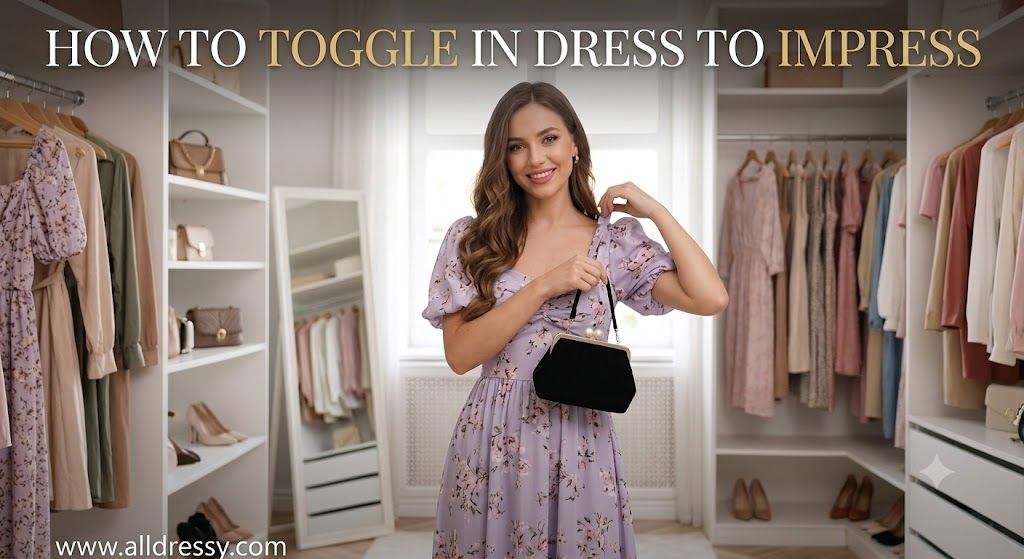
Many players avoid using purses and handbags because they dislike how the default character model animation carries the item down by their thighs, where it can get hidden inside the folds of a voluminous skirt. By clicking on your equipped bag and opening the options UI, you can toggle the carry style from a “Handheld Drop” to an elegant “Shoulder Strap Slide” or a “Crook of the Elbow” clutch hold. This alters your character’s natural arm placement, raising the accessory up to the waistline where it remains perfectly visible to the judges during the runway walk.
Clearing Clutter from Jewelry and Headwear
Several of the statement necklaces, tiaras, and feathered hats feature structural toggles that allow you to isolate individual design elements. For example, a heavy layered pearl necklace can often be modified down to a single, simple elegant choker band, or a large sun hat can have its oversized decorative ribbon bow completely turned off. This level of microscopic control prevents different items from clipping into your selected hairstyle or overriding the neckline detail of your main dress.
6. Code Items and Secret Event Rewards: Unlocking Hidden Forms
The developers behind the experience regularly release limited-time secret codes and event quests that reward players with exclusive custom assets. What separates these reward items from standard room decor is that their most spectacular transformations are deeply buried within their modification sub-menus.
The Crow and Feather Quest Rewards
Recent major updates and custom quests reward successful players with highly intricate, animated garments. For instance, advanced reward items like the dark feather-trimmed dresses feature specialized, physics-based toggles such as “Flapping Feathers Only” or “Static Crow Wings.” Learning how to toggle in dress to impress with these rare event items allows you to transform a basic dark fantasy dress into a dynamic, moving piece of performance art on the runway, maximizing your visual impact during the voting phase.
Maximizing Code-Locked Wardrobe Additions
When you redeem a holiday or seasonal code, do not simply look at the default item that populates onto your character and assume that is its only look. Code items are historically notorious for containing hidden, experimental toggle options that completely alter the category of the item. A code-locked pair of leg warmers can frequently be modified into simple ankle socks, fishnet overlays, or thigh-high boots, turning a singular free code into an entire suite of versatile styling options.
7. VIP Lounge Exclusives: Premium Customization Masterclass
For players who have invested in the premium VIP lounge pass, understanding the mechanics of item adjustments is doubled in importance. The luxury items inside the exclusive room are structurally designed to be highly modular, offering deep customization pathways that are completely inaccessible with standard items.
High-Fashion Sleeve Separation
The VIP room features a massive collection of Victorian, futuristic, and streetwear coats and gowns. A prominent styling technique inside this room involves using the “Sleeves Only” toggle found on premium jackets. By equipping an expensive fur-trimmed coat and toggling everything off except for the sleeves, you create a standalone pair of luxurious arm warmers. You can then layer these custom sleeves completely over standard, free strapless tops or basic slip dresses from the main room, instantly transferring a high-end, premium aesthetic onto everyday base clothing.
Deconstructing the Master Gowns
The largest, most expensive gowns situated in the center of the VIP room act as complete fashion toolkits. These items can be systematically taken apart using the configuration panel to isolate the underlying boning cages, the lace trim, the inner corsetry, or the exterior trail fabrics. Knowing how to toggle in dress to impress with these massive sets allows a single VIP purchase to function as ten separate, individual layering pieces, giving you the power to construct avant-garde, red-carpet-worthy looks that completely dominate public servers.
Frequently Asked Questions
Why doesn’t the toggle menu appear when I put on an item?
The customization and toggle menu only populates if the specific item you are wearing has multiple 3D models or states built into it by the developers. While a large majority of dresses, skirts, and complex VIP items feature extensive toggle options, some basic items—like standard t-shirts, plain leggings, or simple bracelets—are single-state meshes and do not have an adjustment dashboard.
Can you use multiple toggles on the same item at once?
No, you can only select one active toggle state per individual item at a time. However, you can easily bypass this limitation by “item stacking.” To do this, equip the exact same clothing item twice from the rack. Open the customization menu for the first one and select Toggle 1, then open the menu for the duplicate item and select Toggle 2. This merges both structural shapes onto your avatar simultaneously.
Do free items have as many toggle choices as VIP items?
While VIP room items are highly celebrated for having complex, multi-layered toggle configurations (such as separating massive gowns into independent corsets and sleeves), the free dressing room features dozens of highly versatile modifiable items. Many of the standard free skirts, long-sleeved blouses, and seasonal code rewards offer up to four or five different length and detail adjustments.
How do I toggle hair or bangs in the game?
Hair customization works slightly differently than clothing. Instead of equipping a single hair asset and opening a toggle menu, you create custom hairstyles by stacking separate hair modules. You select a base ponytail or long hair asset from the walls, and then layer independent “bangs” or “side-strand” assets directly on top of it. You can then use the color menu to match them seamlessly.
Will toggling an item change its color or texture?
Toggling only alters the physical 3D shape, silhouette, or layout of an item (such as removing sleeves or shortening a hemline). It does not automatically change the color or texture fabric you have applied. Once you select your desired structural toggle button, you can use the primary color palette grids and custom patterns above the toggle menu to dye the modified garment.
Conclusion
Mastering how to toggle in dress to impress is the dividing line between average players and true runway icons. By treating the game’s wardrobe not as static, unchangeable outfits but as modular building blocks, you unlock thousands of hidden fashion combinations. Whether you are stripping a ballgown down to its base corset, altering a handbag’s pose to prevent clipping, or stacking duplicate items to blend different silhouettes together, these adjustment mechanics give you ultimate creative control. The next time you step into a timed styling round, dive deep into the customization menus, experiment with every numbered button, and use these advanced design strategies to completely dominate the voting podium.