
If you’ve been searching for how to play Dress to Impress on PS4, you’re not alone. Thousands of console gamers want to enjoy the popular fashion competition experience on PlayStation. However, many players are confused about whether Dress to Impress is officially available on PS4, how to access it, and what alternatives exist.
The truth is that Dress to Impress is a game mode inside Roblox, and understanding how Roblox works on PlayStation is the first step toward enjoying this fashion phenomenon. Whether you’re completely new to Roblox or already have experience with console gaming, this guide covers everything you need to know.
In this comprehensive guide, you’ll learn how to play Dress to Impress on PS4, how to install Roblox, create an account, navigate controls, customize your avatar, participate in fashion competitions, earn better scores, avoid beginner mistakes, and improve your styling skills. By the end, you’ll have all the knowledge necessary to become a top competitor in Dress to Impress.
What Is Dress to Impress?
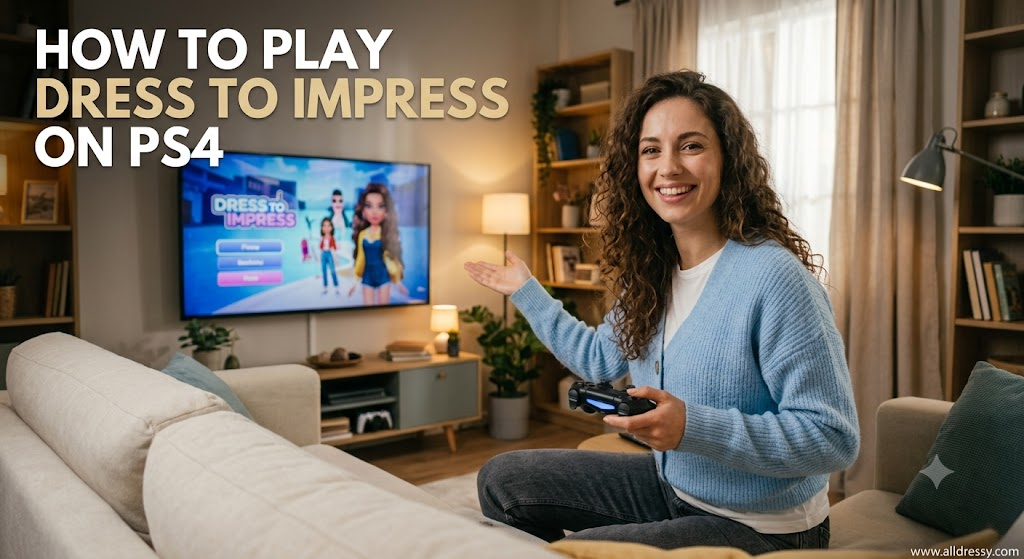
Before learning how to play Dress to Impress on PS4, it’s important to understand what the game actually is.
Dress to Impress is one of the most popular fashion role-playing experiences inside Roblox. Players receive a clothing theme and have only a few minutes to create the best outfit possible using hairstyles, clothing, shoes, makeup, accessories, and poses.
Once time runs out, every player walks the runway while other participants vote on their outfits. The highest-rated players earn victory.
The game’s popularity comes from:
- Creative outfit combinations
- Fast-paced fashion competitions
- Weekly updates
- New clothing collections
- Seasonal events
- Multiplayer interaction
- Endless styling possibilities
Every match is different because each round introduces a unique theme.
Can You Play Dress to Impress on PS4?
One of the biggest questions players ask is whether Dress to Impress works on PlayStation 4.
The answer is:
Yes, you can play Dress to Impress on PS4 if Roblox supports the experience on your console version and the experience is available for PlayStation users.
Since Dress to Impress is not a standalone PlayStation game, you must access it through Roblox.
Instead of buying Dress to Impress from the PlayStation Store, you’ll first download Roblox and then launch Dress to Impress from inside Roblox.
Requirements Before Playing Dress to Impress on PS4
Before getting started, make sure you have:
- A PlayStation 4 console
- Stable internet connection
- PlayStation Network account
- Roblox account
- Free storage space
- Updated PS4 system software
- PlayStation controller
No powerful hardware upgrades are required because Roblox is designed to run on many devices.
How to Install Roblox on PS4
The first step in learning how to play Dress to Impress on PS4 is installing Roblox.
Follow these steps:
Step 1: Open PlayStation Store
Turn on your PS4 and open the PlayStation Store.
Step 2: Search Roblox
Use the search function and type:
Roblox
Step 3: Download
Select Roblox.
Choose Download.
Wait for installation.
Step 4: Launch Roblox
After installation finishes:
Open Roblox from your game library.
Creating a Roblox Account
If you’re new to Roblox:
- Open Roblox.
- Choose Sign Up.
- Enter your birthday.
- Create a username.
- Create a password.
- Verify your account if requested.
Existing users simply sign in.
How to Find Dress to Impress
After entering Roblox:
Open Search.
Type:
Dress to Impress
Select the official experience.
Press Play.
After loading, you’ll enter the fashion lobby.
Understanding the Game Lobby
The lobby serves as the waiting area before each fashion round.
Here you can:
- View countdown timers
- Explore clothing displays
- Meet other players
- Equip poses
- Practice movement
- Browse VIP features
- Check announcements
Every round begins automatically.
PS4 Controls for Dress to Impress
Knowing the controls makes gameplay much smoother.
Typical controls include:
Left Analog Stick
Move your character.
Right Analog Stick
Rotate camera.
X Button
Interact.
Circle Button
Go back.
Square Button
Open certain menus.
Triangle Button
Additional interactions depending on menus.
Players can also use menu cursors for clothing selection.
Understanding Fashion Themes
Every match revolves around a random theme.
Examples include:
- Summer Vacation
- Fairy Princess
- Rockstar
- Celebrity
- School Uniform
- Gothic
- Beach Party
- Halloween
- Winter Wonderland
- Royal Ball
- Space Explorer
- Sports Day
- Business Casual
- Fantasy Warrior
- Cottagecore
Understanding each theme is the key to earning high scores.
How Each Round Works
Each competition follows the same cycle.
Theme Announcement
Players receive a fashion theme.
Countdown Begins
Usually around five minutes.
Outfit Creation
Players select:
- Hair
- Shirts
- Dresses
- Pants
- Shoes
- Accessories
- Makeup
- Faces
- Colors
Runway
Every player showcases their outfit.
Voting
Players vote for everyone else.
Winner Announcement
Top scores appear.
Then the next round starts.
Choosing the Perfect Outfit
Winning requires matching the assigned theme.
For example:
Theme:
Beach Vacation
Good choices:
- Sandals
- Sunglasses
- Swimwear
- Beach hat
- Tote bag
Poor choices:
- Winter boots
- Heavy jacket
- Scarf
Theme accuracy matters more than random expensive clothing.
Hair Customization
Hair dramatically changes an outfit.
Options include:
- Short
- Long
- Curly
- Straight
- Ponytail
- Braids
- Buns
- Colored hair
- Fantasy hairstyles
Choose styles matching your character concept.
Makeup Options
Many players overlook makeup.
Good makeup improves scores.
Available options often include:
- Natural
- Glam
- Fantasy
- Dark aesthetic
- Bright colors
- Soft looks
Always match makeup to your outfit theme.
Accessories
Accessories complete the overall appearance.
Examples include:
- Earrings
- Necklaces
- Glasses
- Crowns
- Gloves
- Bracelets
- Wings
- Bags
- Hats
- Belts
Avoid adding too many accessories unless the theme supports them.
Color Coordination
Strong fashion depends on balanced colors.
Popular combinations:
- Black and gold
- White and silver
- Blue and white
- Pink and cream
- Red and black
- Brown and beige
- Green and gold
Matching color palettes often receive better votes.
Understanding Voting
Every player votes on other contestants.
Good voters usually appreciate:
Theme accuracy
Creativity
Balanced accessories
Good colors
Unique combinations
Well-designed characters
Winning depends on receiving votes from other participants.
Tips for Getting Better Scores
If you’re serious about learning how to play Dress to Impress on PS4, improving your score should be a priority.
Helpful tips include:
Stay on theme.
Avoid random clothing.
Use matching accessories.
Pick coordinated colors.
Don’t over-accessorize.
Practice styling quickly.
Observe experienced players.
Experiment with different aesthetics.
Time Management During Each Round
You only have a few minutes.
A smart strategy:
First minute:
Choose clothing.
Second minute:
Hair.
Third minute:
Accessories.
Fourth minute:
Makeup.
Final minute:
Review everything.
This prevents panic during the countdown.
Learning Fashion Styles
Top players recognize many fashion aesthetics.
Popular styles include:
Minimalist
Vintage
Streetwear
Y2K
Elegant
Luxury
Bohemian
Punk
Gothic
Pastel
Cottagecore
Cyberpunk
Understanding these styles increases your versatility.
Using Poses Effectively
After creating your outfit, posing matters.
Good runway poses:
Elegant standing
Confident walking
Fashion model pose
Cute pose
Royal pose
Fantasy pose
Poses add personality to your presentation.
Common Beginner Mistakes
Many new players make similar mistakes.
These include:
Ignoring the theme.
Using random colors.
Adding every accessory.
Forgetting makeup.
Running out of time.
Copying another player.
Poor color matching.
Practicing regularly helps eliminate these habits.
Improving Your Creativity
Creativity separates average players from winners.
Ways to improve:
Mix unusual clothing.
Experiment with colors.
Study real-world fashion.
Watch runway shows.
Practice different aesthetics.
Challenge yourself with unique combinations.
Playing with Friends
Dress to Impress becomes even more entertaining with friends.
Benefits include:
Friendly competition
Outfit inspiration
Group screenshots
Fashion discussions
Private servers (if available)
Social interaction makes every round more enjoyable.
Earning In-Game Currency
Many cosmetic items require currency.
Players generally earn rewards by:
Completing rounds
Participating regularly
Winning competitions
Special events
Daily rewards
More currency unlocks additional customization options.
Seasonal Updates
The developers frequently introduce seasonal content.
Examples include:
Halloween costumes
Christmas clothing
Valentine accessories
Summer outfits
Spring collections
Holiday updates keep the game fresh throughout the year.
Event Competitions
Special events often feature:
Exclusive clothing
Limited-time accessories
Unique themes
Holiday decorations
Bonus rewards
Participating early helps unlock limited items.
Customizing Your Roblox Avatar
Outside individual matches, players can personalize their Roblox avatars.
Customization includes:
Body shape
Animations
Emotes
Accessories
Hair
Face items
Avatar customization carries into many Roblox experiences.
Optimizing Performance on PS4
Smooth gameplay improves the experience.
Helpful tips:
Close background applications.
Maintain stable internet.
Keep Roblox updated.
Update your PS4 software.
Restart the console occasionally.
Free storage if performance drops.
Internet Connection Tips
Since Dress to Impress is online, internet quality matters.
For best performance:
Use Wi-Fi with strong signal.
Prefer wired Ethernet if possible.
Avoid large downloads while playing.
Restart your router if lag appears.
Stable connections reduce loading delays.
Understanding Game Etiquette
Good sportsmanship improves everyone’s experience.
Be respectful.
Vote fairly.
Avoid harassment.
Don’t spam chat.
Encourage new players.
Positive communities make games more enjoyable.
Advanced Styling Strategies
Experienced players often:
Use layered accessories.
Match hairstyles perfectly.
Coordinate makeup with clothing.
Balance bright and neutral colors.
Create storytelling outfits.
Develop signature fashion aesthetics.
These details often influence voting results.
Practicing Without Pressure
Practice is essential.
Try:
Experimenting with clothing combinations.
Learning every clothing category.
Testing new hairstyles.
Creating outfits for imaginary themes.
Memorizing favorite accessories.
The more familiar you become with the wardrobe, the faster your styling will be.
Building Your Fashion Knowledge
Real-life fashion inspiration helps improve gameplay.
Study:
Fashion magazines
Celebrity outfits
Street fashion
Seasonal collections
Color theory
Designer trends
Even simple knowledge of clothing coordination can improve your in-game results.
Why Dress to Impress Is So Popular
Millions of players enjoy the game because it combines creativity, competition, and social interaction.
Unlike action games, Dress to Impress encourages players to express their imagination through fashion. Every round presents a new challenge, making the gameplay feel fresh and rewarding. Frequent updates, new clothing items, themed events, and an active player community ensure that there is always something new to discover.
Whether you enjoy casual styling or competitive fashion contests, learning how to play Dress to Impress on PS4 opens the door to one of Roblox’s most entertaining experiences. With consistent practice, smart outfit coordination, effective voting strategies, and creative thinking, you’ll steadily improve your rankings and become a standout contestant on the runway.
FAQs
Can you play Dress to Impress on PS4?
Yes, you can play Dress to Impress on PS4 through Roblox, provided the experience is available on the PlayStation version of Roblox. You need to install Roblox, sign in to your account, search for Dress to Impress, and join the experience.
Is Dress to Impress free on PS4?
Yes. Dress to Impress is free to play through Roblox. While the game itself is free, it may offer optional in-game purchases or premium features that require Robux.
Do I need a PlayStation Plus subscription to play Dress to Impress?
In most cases, Roblox does not require a PlayStation Plus subscription for online play. However, requirements can change, so it’s always a good idea to check the latest PlayStation online policies.
How do I download Dress to Impress on PS4?
You don’t download Dress to Impress separately. Instead, download Roblox from the PlayStation Store, open the app, search for “Dress to Impress,” and launch the experience.
Can I play Dress to Impress with friends on PS4?
Yes. If your friends are also playing Roblox and join the same Dress to Impress server or an available private server, you can compete together in fashion challenges.
Why can’t I find Dress to Impress on my PS4?
If you can’t find the game, make sure Roblox is updated to the latest version. It’s also possible that the experience may have temporary compatibility limitations or regional availability changes.
Is Dress to Impress cross-platform?
Yes. Dress to Impress supports cross-platform play through Roblox, allowing players on compatible devices such as PC, mobile, tablet, and supported consoles to play together.
How long does a Dress to Impress round last?
Most rounds last about five minutes for outfit creation, followed by the runway presentation, voting, and winner announcement.
How do you win in Dress to Impress?
To increase your chances of winning, follow the assigned theme closely, create a coordinated outfit, use matching accessories and colors, finish before the timer ends, and impress other players enough to earn high votes.
Can beginners enjoy Dress to Impress?
Absolutely. The game is beginner-friendly, and new players can quickly learn the basics through practice. As you become familiar with the clothing options and themes, your fashion skills and rankings will naturally improve.
Conclusion
Learning how to play Dress to Impress on PS4 is easier than many players expect. Once Roblox is installed on your PlayStation 4, you can quickly access Dress to Impress and begin competing in exciting fashion challenges with players from around the world. The game rewards creativity, attention to detail, and an understanding of each theme, making every round a unique experience.
Whether you’re creating elegant formal outfits, spooky Halloween costumes, casual streetwear, or fantasy-inspired looks, the key to success is combining the right clothing, accessories, hairstyles, and colors before time runs out. As you gain experience, you’ll develop your own styling techniques, earn better rankings, unlock more customization options, and enjoy everything the game has to offer.
If you consistently practice, stay updated with new clothing collections and seasonal events, and vote fairly during competitions, you’ll steadily improve your fashion skills and become a standout contestant on the runway. Now that you know exactly how to play Dress to Impress on PS4, you’re ready to jump into Roblox, showcase your creativity, and compete for first place in every fashion show